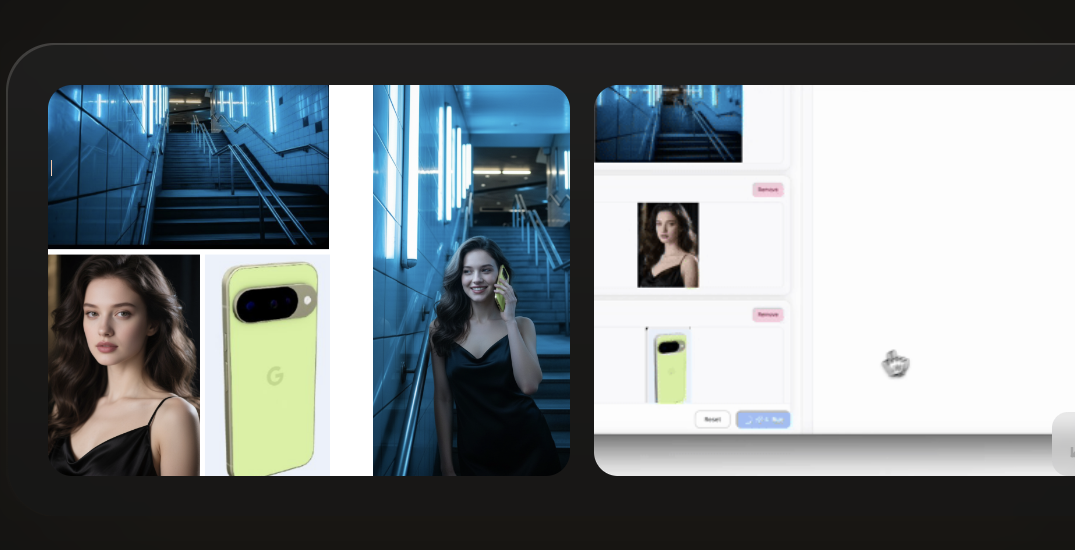
Instagram story edit
Use Muse Image AI prompts to keep a creator identity stable while changing lighting, crop, background, and story-ready framing.
Track what Muse Image can do, learn how Muse Image AI handles prompts, edits, references, and social-ready visuals, then test a cleaner prompt workflow in the studio.
Studio
Use the Muse AI image generator workflow to turn a rough idea into a sharper prompt with subject, style, composition, references, edit intent, and output goal.
Prompt draft
Create a cinematic Instagram story image for a creator launch. Keep the face identity from reference A, use the outfit silhouette from reference B, add warm studio lighting, clean negative space, and a premium editorial finish.
Subject
Creator portrait
Reference role
Identity + outfit
Output goal
Story-ready visual
Muse Image AI checklist
Prompt Gallery
Start with reusable Muse Image AI prompt patterns for profile scenes, Instagram-style story visuals, product shots, room redesigns, posters, and precise image edits.
Use Muse Image AI prompts to keep a creator identity stable while changing lighting, crop, background, and story-ready framing.
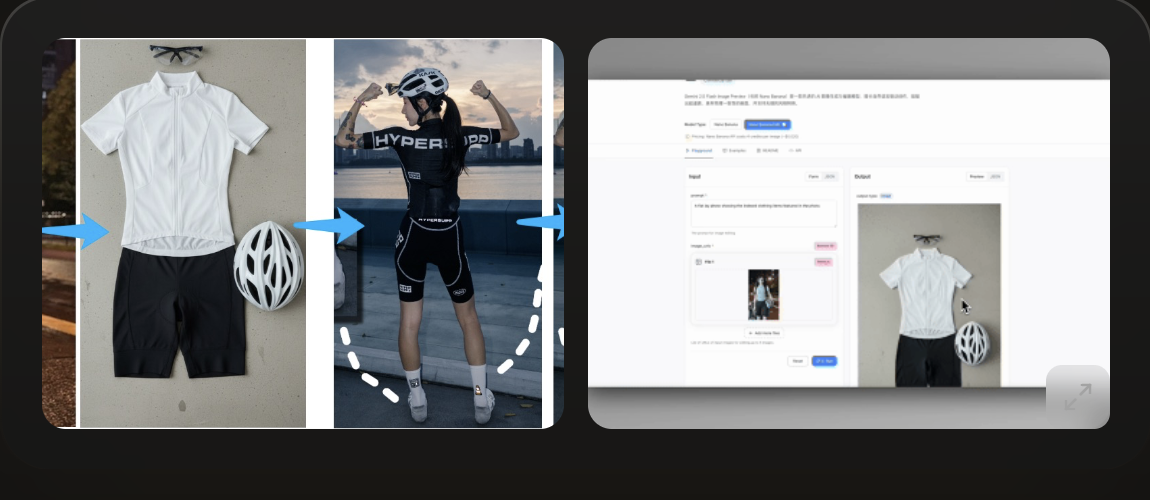
Describe the product, reference role, surface, shadow, camera angle, and negative space before testing a commercial visual.
Plan a reference-aware prompt that keeps the room layout intact while changing style, materials, color palette, and lighting.
Muse Image use cases
Use the Muse Image AI workflow when an image needs more than a one-line prompt. Start from a goal, define the reference role, then write the generation or edit request in a way that can be tested and refined.
Muse Image AI workflow
Create story images, profile scenes, creator posts, and shareable visual variations with clear instructions for mood, crop, platform, and audience.
Try it now
Muse Image AI workflow
Describe what should come from each image reference, what should change, and what must remain stable so the edit request is easier to evaluate.
Try it now
How it works
Keep the Muse Image AI loop simple: understand the model capability, write a concrete prompt, test a first result, then refine the prompt or edit instruction.
01
Use text-to-image when you need a new visual direction. Use image edit when you already have a photo, product, portrait, room, or generated image to refine.
02
For multi-reference prompts, state what each source controls: identity, pose, product detail, background, style, color palette, or composition.
03
Check whether the result followed the subject, style, edit boundaries, reference roles, and output format before changing the next prompt.
04
Improve one thing at a time: lighting, background, camera, expression, product clarity, social crop, or realism. This keeps the Muse Image AI workflow controllable.
Workflow
Use the prompt studio and examples to prepare stronger Muse Image AI requests for social visuals, product mockups, room redesigns, creator edits, and reference-based generation.
Follow Muse Image updates from Meta and translate launch notes into practical creator workflows.
Prepare text-to-image, edit, and reference prompts with clear subject, constraints, and output goals.
Review outputs with a controlled checklist so each next prompt changes one thing at a time.
FAQ
Muse Image is Meta’s image generation model announced for Meta AI and social creation workflows. It focuses on text prompts, image edits, reference composition, and shareable visual output.
No. MuseImageAI.org is an independent guide and prompt workflow site. It is built for people researching muse image ai, muse image, and muse ai image generator topics.
Meta describes Muse Image as capable of precise edits and reference-aware generation. In practice, better edit prompts name the exact region, desired change, and what should remain untouched.
Include subject, scene, composition, lighting, style, reference roles, output size or platform, and constraints. For edits, describe the original image and the single most important change.
Meta announced Muse Image for Meta AI and meta.ai, with Instagram Stories support in the US and WhatsApp availability in limited countries at launch. Availability may expand over time.